Free Contractor Invoice Template
Bill a client for hours or a flat fee, in US dollars, on a PDF that looks the same in every inbox. Type into the form and the invoice redraws beside it. No account, no Word file to fight with, and nothing you type leaves your browser.
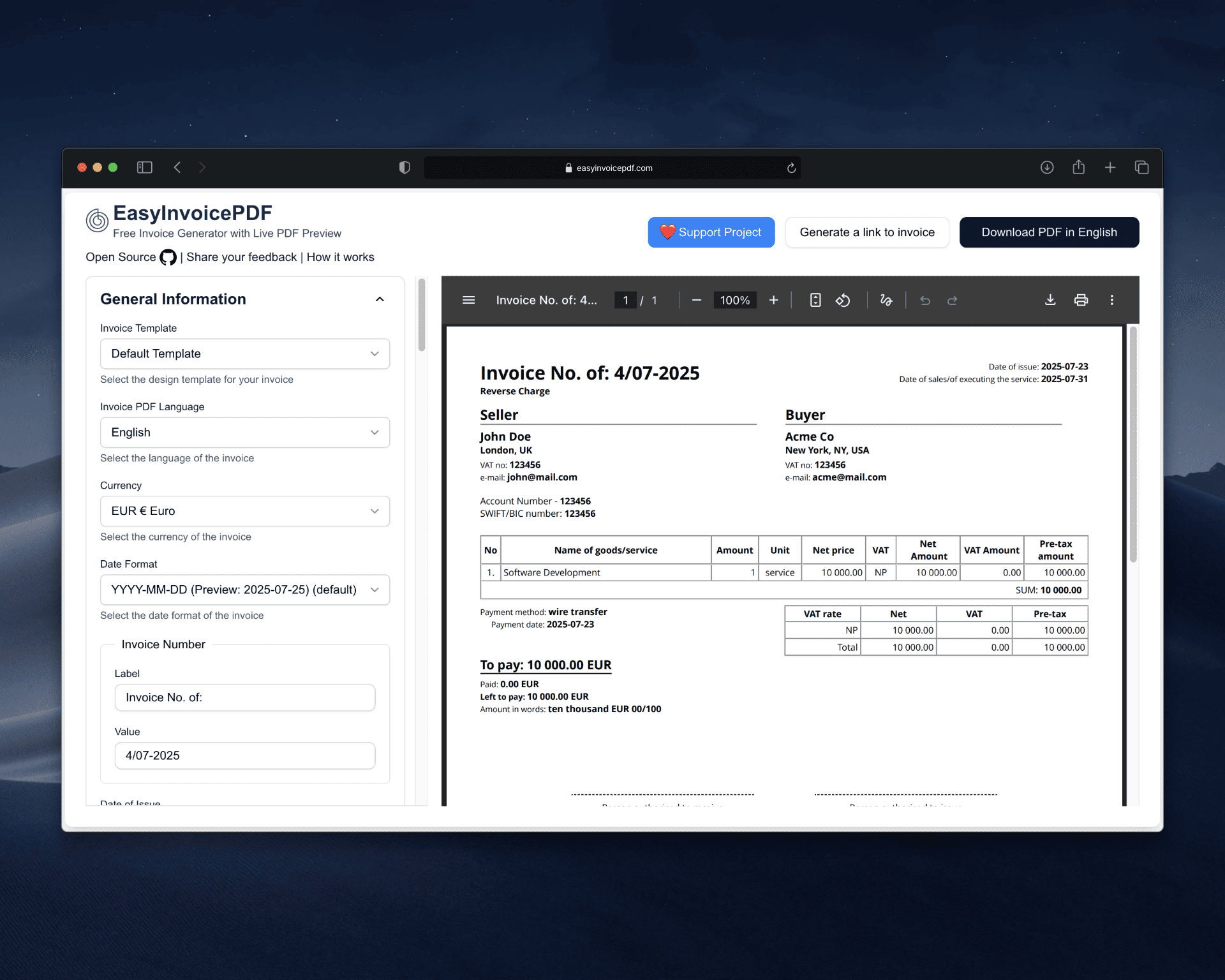
Hours × rate, totaled for you, USD amounts, formatted $1,234.56, US dates: 03/20/2026 or March 20, 2026, Sales tax columns you can hide, Free, no signup
A US contractor invoice at a glance
- Currency
- USD, printed as $1,234.56
- Date format
- MM/DD/YYYY, M/D/YYYY or March 20, 2026
- Hourly billing
- Quantity is the hours, unit is hrs, price is the rate
- Sales tax
- Label it Sales Tax, set a rate, or hide the tax columns
- Service period
- Optional from and to dates for the work billed
- Account required
- No
- Price
- Free, and the source is on GitHub
What a contractor invoice needs
A client's accounts payable team pays faster when nothing has to be asked twice. These are the fields the template gives you, each one a form input:
- Your name or business name, address and email
- The client's name and billing address
- A unique invoice number, and the date you issued it
- The dates the work covers, as a service period
- Each line of work, with hours or quantity, rate and amount
- The total due, the due date, and how to pay you
Billing by the hour
Hourly work maps straight onto the line items.
Put the hours in the quantity field, write hrs as the unit, and enter your hourly rate as the price. The line total and the invoice total update as you type, so 32.5 hours at $85 shows as $2,762.50 before you download anything.
A flat-fee project is a single line with a quantity of 1. Mix both on one invoice when a job had a fixed scope plus extra hours.
Ready to try it?
The form opens with an empty invoice. Fill it in and download the PDF. No account needed.
Sales tax, only if you charge it
Many services are not taxed, but the rules change from state to state.
The tax label defaults to VAT, which reads oddly on a US invoice. Rename it to Sales Tax and set the rate, or hide the tax columns entirely and the invoice shows plain amounts. Check your own state's rules before deciding.
Keep your SSN off the invoice
A client who files a 1099-NEC for you needs your taxpayer identification number, but the invoice is the wrong place for it.
Send that number once, on a W-9, and leave it off the invoice that gets forwarded around the client's office. The template's tax number field is optional and can be hidden. If you have an EIN and want it on the invoice, rename the label to EIN and fill it in.
Dates the way US clients read them
The default template dates invoices 2026-03-20. A US client will find a month-first date easier to read.
Pick MM/DD/YYYY, M/D/YYYY or MM-DD-YYYY from the date format dropdown, or switch to the Stripe-style template, which writes March 20, 2026 out of the box.
Create a contractor invoice
Four steps, and nothing to install:
- Open the generator and set the currency to USD
- Choose a US date format and rename the tax label, or hide it
- Add your hours or fixed-fee lines, watching the preview update
- Download the PDF, or send your client a link to it
FAQ
Is this a 1099 invoice template?
There is no special 1099 invoice. A 1099 contractor sends an ordinary invoice, and the client files a 1099-NEC from its own records at year end. This template covers the invoice; your tax ID goes to the client on a W-9.
Can I bill by the hour?
Yes. Enter the hours as the quantity, hrs as the unit and your rate as the price. Totals are calculated as you type.
Do I have to show sales tax?
No. You can rename the tax label to Sales Tax and set a rate, or hide the tax columns so the invoice shows plain amounts. Whether your service is taxable depends on your state.
Can I add my logo?
Yes. Both templates accept a JPEG, PNG or WebP logo, which sits at the top of the PDF.
Do I need an account?
No. There is no signup and no email step. Your details are saved in your own browser so the next invoice starts filled in.
Is this accounting software?
No. It produces invoice PDFs and does not file, track or reconcile anything, and it makes no tax or compliance guarantees. Check the result against your own requirements.